Locked out of your FMCSA account since May? Here's how to get back in.
If you've tried to update your MCS-150, fix your address, or file anything with FMCSA since May and hit a wall, it's not you. FMCSA moved registration into a new system called Motus, and a lot of carriers can't get in.
Here's what changed, how to get back in, and what to do when it won't let you.
Note: Last checked 2026-09-08. Plain-English guide, not legal advice. FMCSA's own instructions are linked throughout.
What changed in May
FMCSA launched Motus on May 19, 2026 (FMCSA). It replaces the old FMCSA Portal for anything you'd change on your record: your biennial update, a name or address change, adding authority, reactivating a USDOT number (FMCSA, Move into Motus).
Two things did not change. Your USDOT number is the same. Your MC number is the same. FMCSA talked about retiring MC numbers, and it did not happen at launch (TruckSafe).
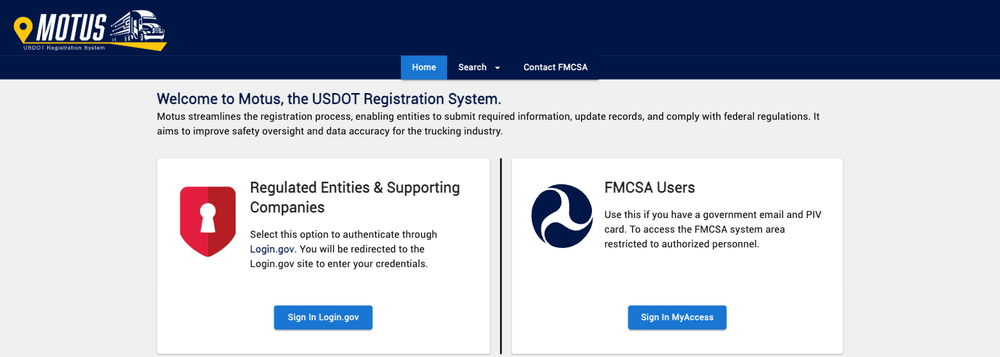
What did change is the front door. You now sign in through Login.gov, and the first time in, you prove who you are with a photo of your government ID and a photo of your face (FMCSA, identity verification).
Why it matters to your record
Until you're in, you can't touch your own file. No MCS-150 update. No address fix. No reactivation if your number went inactive. And a stale MCS-150 reads as risk to a broker's software, because it's the one thing on the record you were supposed to keep current.
Your biennial update is due in the month that matches the last digit of your USDOT number. If that month is coming up, this is the thing to sort out first.
How to get in, step by step
FMCSA's own instructions, in plain English. The official version is the Claim a USDOT Number job aid (PDF), and it's worth having open on your phone.

- Go to motus.dot.gov and click Sign In Login.gov. Use the Login.gov account you already have. If you don't have one, you'll make one on the next screen.
- Prove it's you. First time in, Motus asks for identity verification: a photo of your ID and a photo of your face. You need a phone or computer with a camera. If the online check fails, FMCSA has in-person enrollment centers.
- Set up your user profile. This is you, the person. Not the company yet.
- Watch for the pop-up. If your Login.gov email matches the company official on file with FMCSA, a window appears saying a USDOT number is tied to your account. Click Link USDOT Number.
- Pick your USDOT number and enter the code. Motus emails a verification code to your Login.gov address. Type it in.
- Sign the first certification. You're confirming you own the company, or are a partner or officer. Type your name.
- Review your record, then click Certify. Check the name, address, phone, and email FMCSA has on file. Fix what's wrong. Then hit the orange Certify banner at the top and accept the final statement.
That's it. Your company account is live, and you can file from it.
If the pop-up never shows, do not start a new registration. That's how carriers end up with a second USDOT number they never needed, tied to a blank history, and a cleanup job on top of the original problem (US Compliance Services, June 25, 2026). A new number does not fix a claiming problem. Contact FMCSA instead. Next section.The one thing that locks most people out
The email. To claim your company, you have to sign in to Login.gov with the same email that was the company official in the old FMCSA Portal (FMCSA).
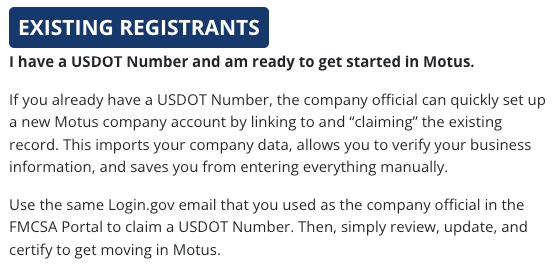
That trips people up three ways. The company official was a former employee. The company official was a service that filed for you, using their email. Or you've used a few emails over the years and don't remember which one FMCSA has.
If any of those is you, Motus won't recognize your number no matter how many times you try. The fix is FMCSA resetting the link so the right person can claim it, and that only happens through their contact center.
When you're stuck, here's who to call
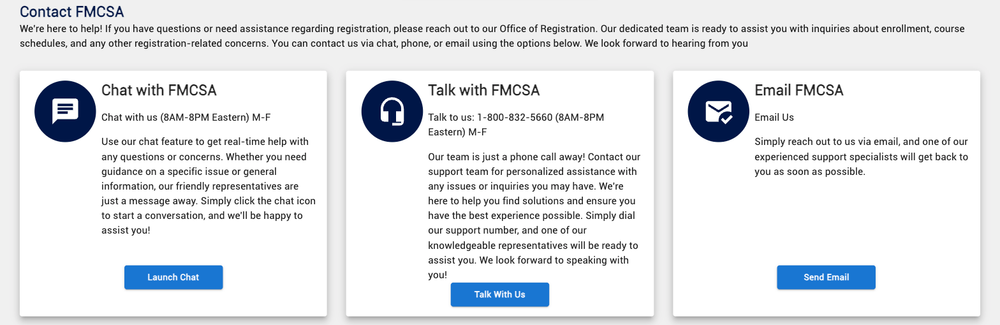
Call 1-800-832-5660, weekdays. Or open a ticket at ask.fmcsa.dot.gov. Or use the chat at motus.dot.gov/contact-fmcsa. FMCSA says it extended the contact center hours during the transition, so check the page for what's current (FMCSA).
When you get through, have three things ready: your USDOT number, the email you think was on file, and the name of whoever was the company official. Ask them to reset the company official to you. One ticket per problem. Opening a second ticket for the same issue puts you at the back of the line, and FMCSA says so itself.
What if my USDOT number already went inactive?
Take a breath. Since June 1, FMCSA has paused inactivating USDOT numbers for carriers who missed their biennial update because of Motus access problems (FMCSA, updated June 22, 2026).
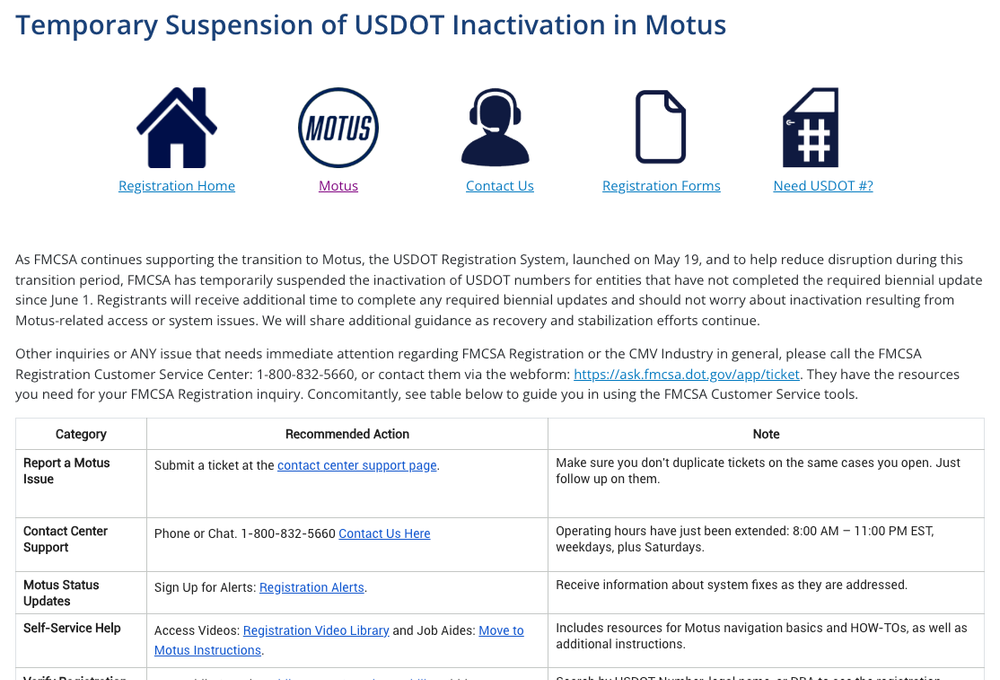
That pause is temporary and FMCSA hasn't said when it ends. Use it. Get in, get current, and don't count on it being there next month.
You can check what FMCSA shows for your number right now, no login, at motus.dot.gov/public/search. That's the same public record a broker's software reads.
What to do now
Get back into your own account first. Everything else on your record waits behind it: the MCS-150, a wrong address, a dispute on a bad violation.
Then run your score, free, with your USDOT number. It reads the same federal record a broker reads, shows you what's pulling it down, and tells you how much of the record we could actually see.
And if you don't have an account, get started by running your score for free. 10 seconds, no account.
Quick answers
Did my MC number go away?
No. Your USDOT and MC numbers are the same as before. FMCSA did not retire MC numbers when Motus launched.
Which email do I use?
The one that was the company official in the old FMCSA Portal. If you don't know it, or it belonged to someone else, call FMCSA and ask them to reset it.
Motus won't show my USDOT number. Should I just register again?
No. That creates a second USDOT number and a bigger mess. Contact FMCSA and have them link your existing number.
My number went inactive. Am I done?
Not necessarily. FMCSA paused inactivations for missed biennial updates during the Motus transition. Get in and get current while that holds.
Can somebody else do this for me?
The identity check and the claim have to be done by you, the company official. A service can prep the paperwork, but they can't be your face on the camera.
Where does all this information come from?
FMCSA, Move into Motus, the three steps and the same-email rule.
FMCSA, How to Claim Your USDOT Number in Motus, the step-by-step job aid.
FMCSA, Temporary Suspension of USDOT Inactivation in Motus, the launch date, the pause, and the contact table.
FMCSA, Identity Verification, what the ID check is.
TruckSafe, 2026, MC numbers not retired at launch.
US Compliance Services, June 25, 2026, the four common lockouts and the duplicate-number trap.